Lead scoring for cold email that you can actually read
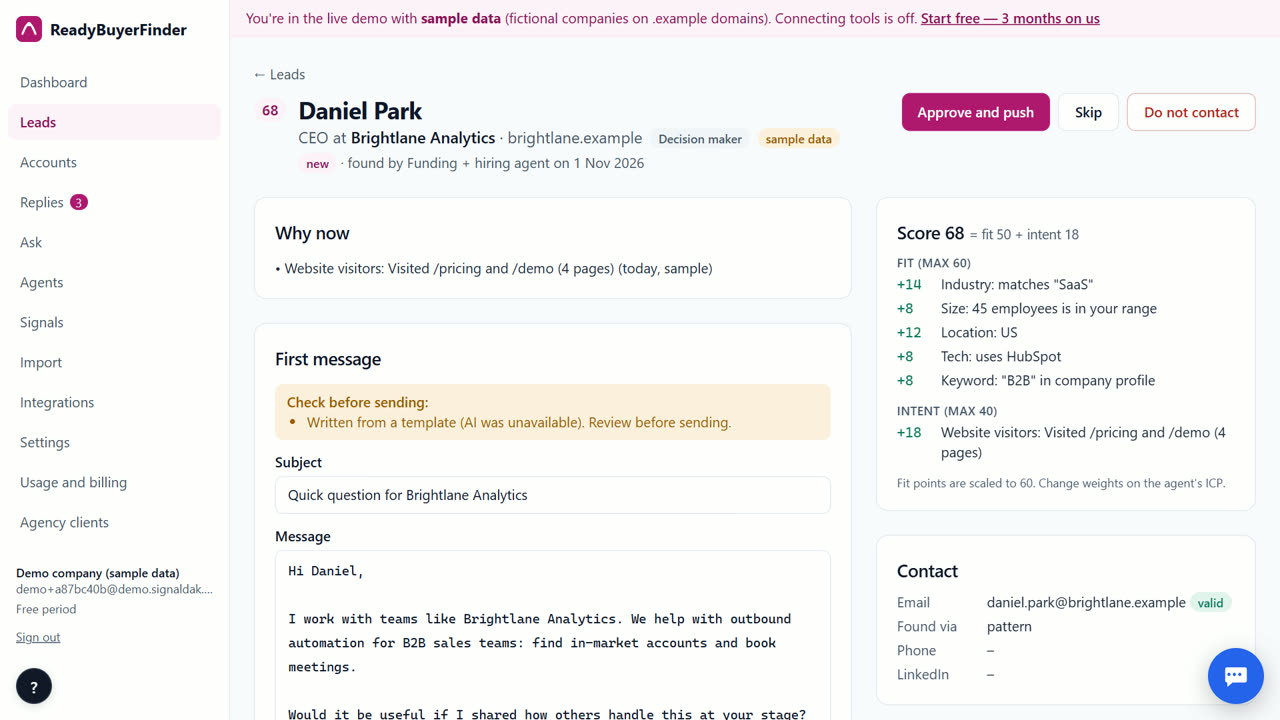
Lead scoring for cold email works best when it answers two questions: does this company fit who I sell to, and is something happening right now? ReadyBuyerFinder scores every lead as fit (0–60) plus intent (0–40), shows every point as a rule you can read, such as "+16 Funding: Series A, 2 days ago", and lets you change the weights.
Why it matters
A score you can't explain is hard to trust, and hard to fix when it is wrong.
Scoring before sending lets you write to fewer, better leads per inbox, which protects your sender reputation.
Step by step in ReadyBuyerFinder
1. Create a free account
Go to readybuyerfinder.com/signup, enter your work email and type the 6-digit code we email you. There is no password and no card, and your first 3 months are free.
2. Set up your ideal customer
Paste your website. Industry, company size, country and buyer titles become the fit part of the score.
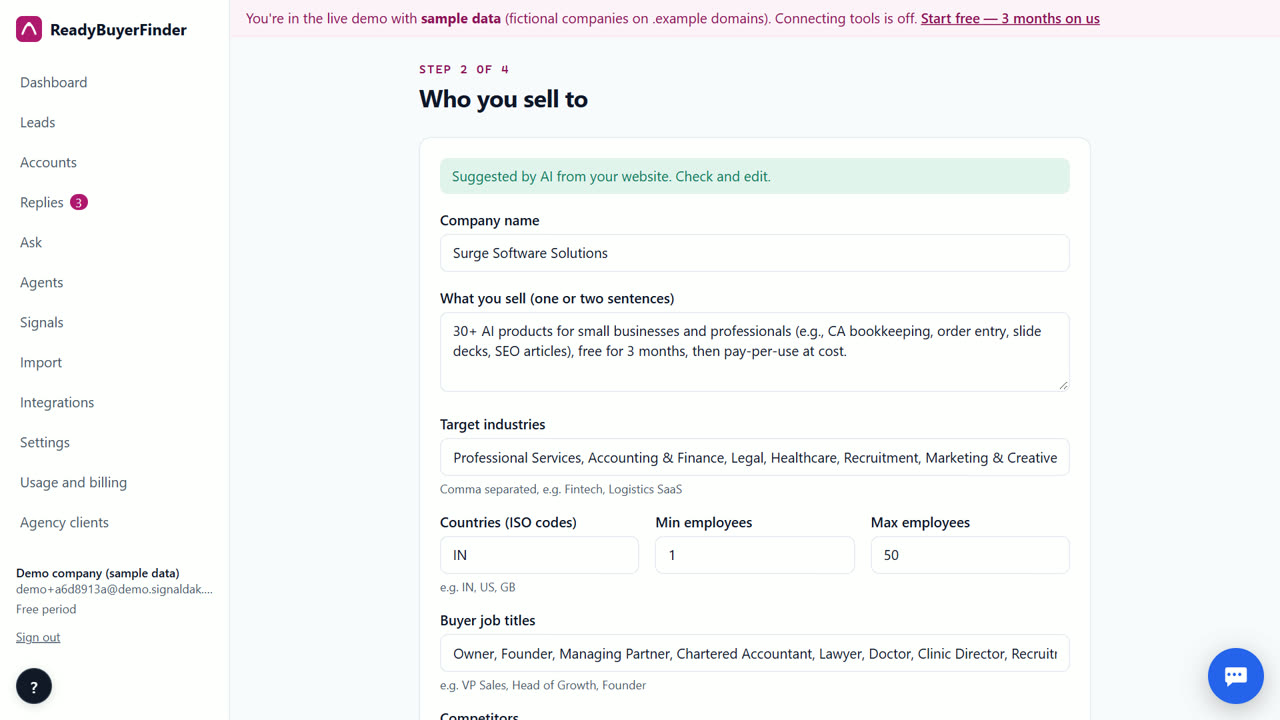
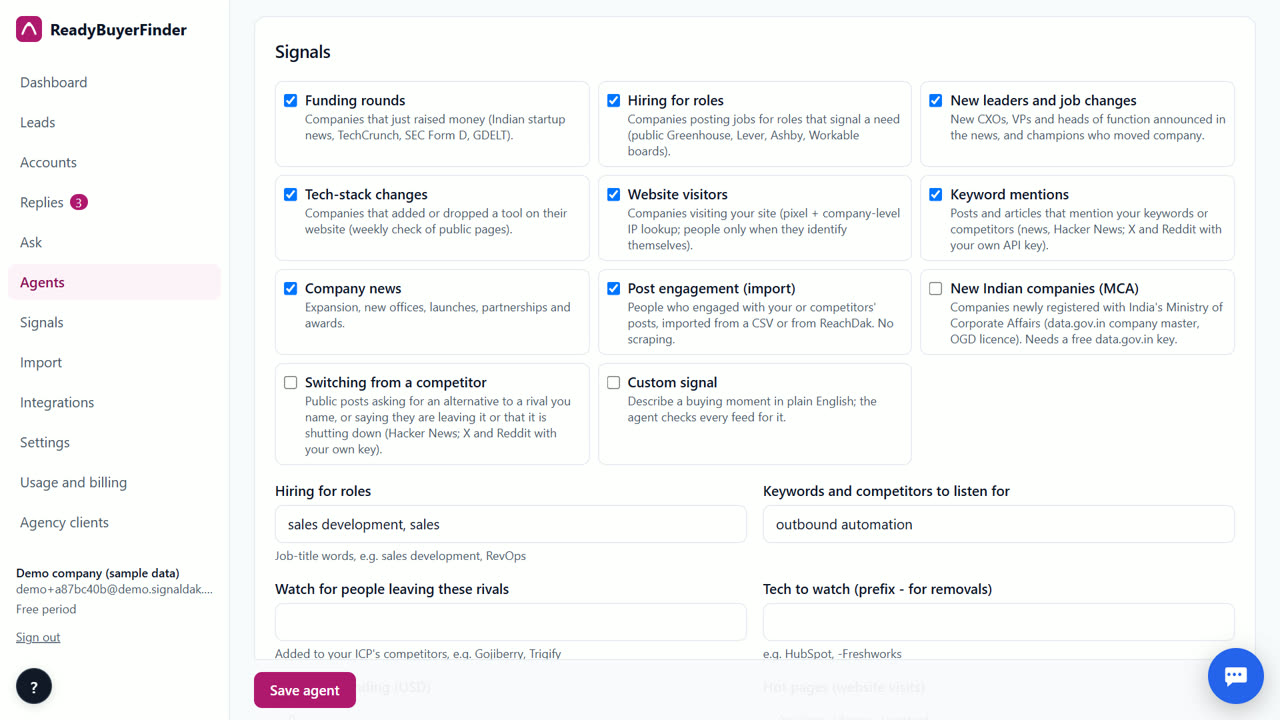
3. Pick signals
Each signal adds intent points, with more for fresher and stronger signals.
4. Read the score line by line
Open any lead to see each point, for example +14 for the industry, +12 for the city, +16 for a funding round two days ago.
5. Set a minimum and adjust weights
On the agent, set the minimum score a lead needs, and change how much each part counts. Leads just under the minimum show up as Near misses with the rule that kept them out.
6. Let the learning loop suggest changes
After 20 or more replies or meetings come back, the agent suggests weight changes of at most 30% at a time, with reasons. Nothing changes until you accept.
Tips
- Start with the suggested weights and change one thing at a time.
- Use Near misses to see what you are filtering out.
When ReadyBuyerFinder is not the right tool
If you need predictive scoring trained on your own CRM history across thousands of deals, an enterprise scoring tool built on your CRM data fits better. Our scores are rules you can read, plus suggestions from replies.
Questions
What is a good minimum score?
Start around the suggested default and look at Near misses after the first run.
Does the score change over time?
Intent points fade as signals get older, so fresh signals rank higher.
Can I score leads I import?
Yes. Imported accounts are scored the same way when signals are found for them.
ReadyBuyerFinder is free for your first 3 months; after that you pay only for what you use, at our cost.
Start free — 3 months on usRelated
- How to find B2B buyers showing intent (without scraping LinkedIn)
- How to write a cold email from a funding announcement
- ReadyBuyerFinder vs Clay
- Pricing: free for 3 months, then at cost
Last updated 2 November 2026 · By Venu Gopal Reddy Muvva, founder, Surge Software Solutions