How to find B2B buyers showing intent, without scraping LinkedIn
To find B2B buyers showing intent, watch public moments that come before a purchase (a funding round, a sales hire, a new leader, a change in tech, a visit to your website), keep only the companies that match your ideal customer, then find the right person and write to them about that moment. ReadyBuyerFinder does this with AI agents that read public and licensed sources, never LinkedIn scraping, and hands you scored leads with verified emails.
Why it matters
A company that just raised money or hired its first sales lead has a reason to buy now. Writing to it this week, with that reason in your first line, gets far more replies than a cold list bought months ago.
Many intent tools read LinkedIn activity, which breaks LinkedIn's rules and can get accounts restricted. Public news, filings, job boards and your own website give strong signals without that risk.
Step by step in ReadyBuyerFinder
1. Create a free account
Go to readybuyerfinder.com/signup, enter your work email and type the 6-digit code we email you. There is no password and no card, and your first 3 months are free.
2. Paste your website
On the first screen, paste your company website. The AI reads your homepage and suggests your ideal customer: industries, company size, countries, buyer job titles, competitors and the words buyers use. Change anything that looks wrong.
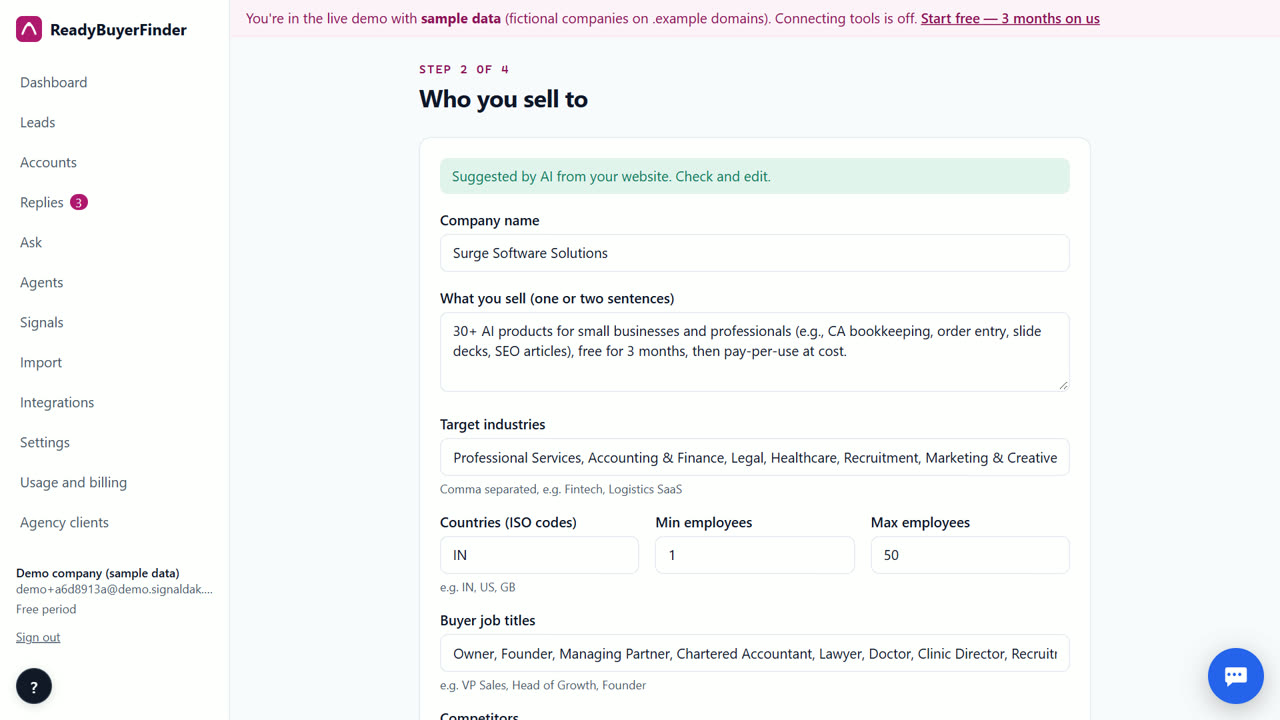
3. Pick the signals that fit what you sell
Tick the moments that matter: funding, hiring for certain roles, new leaders and job changes, tech-stack changes, website visits, keyword mentions, company news or competitor switching. You can also describe a custom signal in plain English.
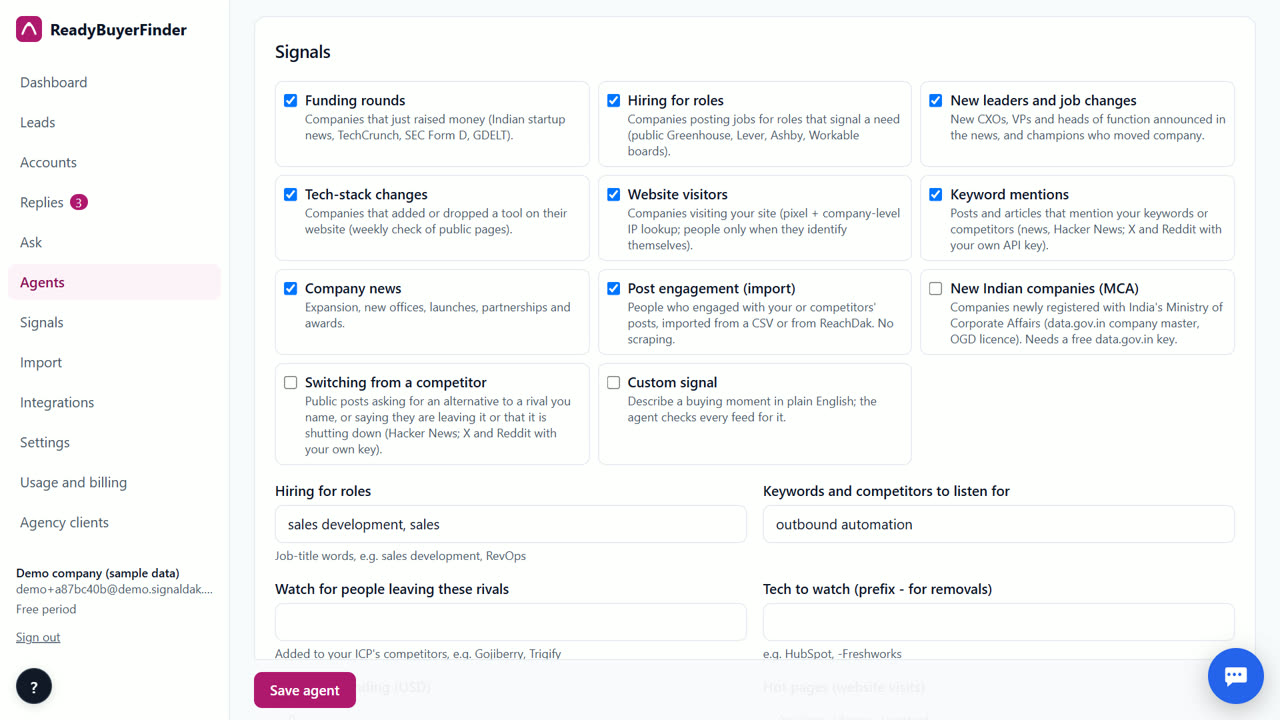
4. Let the first run look back 30 days
When you create the agent, its first run starts at once and looks back 30 days on public sources, so your inbox isn't empty on day one. After that it runs every 6 hours.
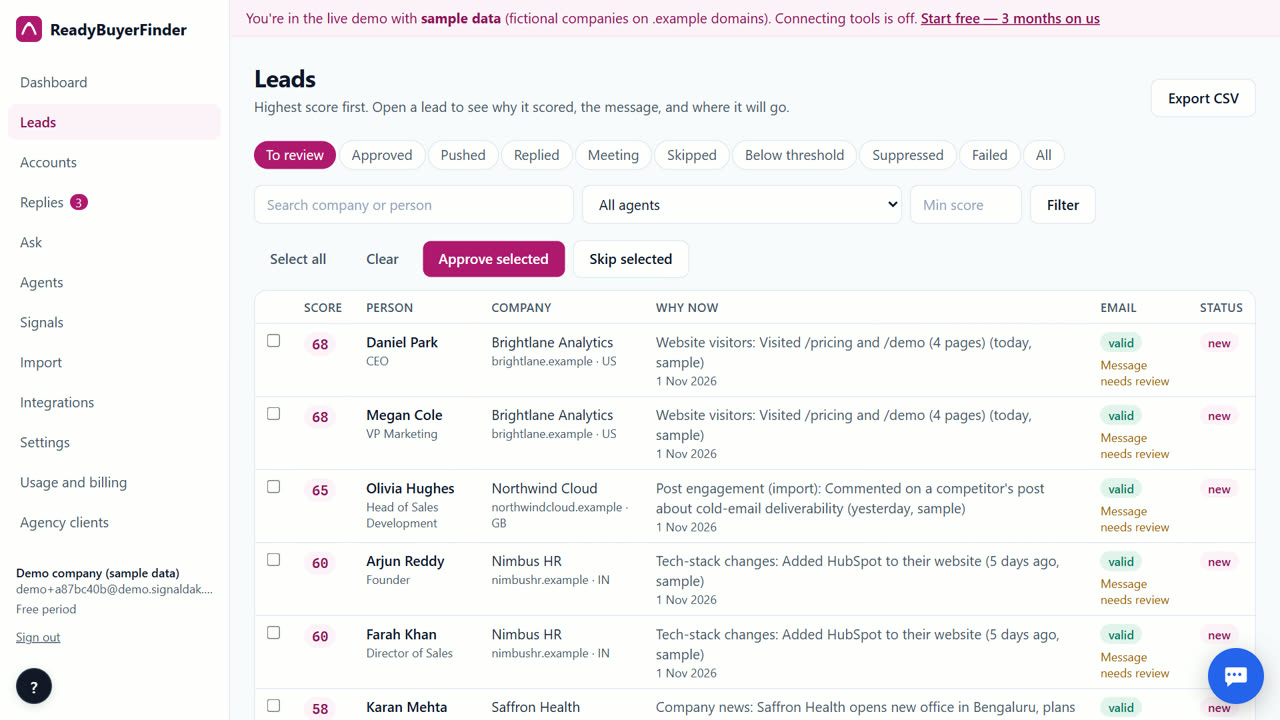
5. Read why each lead scored
Open a lead to see the signals behind it with source links, the score line by line (fit 0–60 plus intent 0–40), the person, a verified email and a first message checked against the facts.
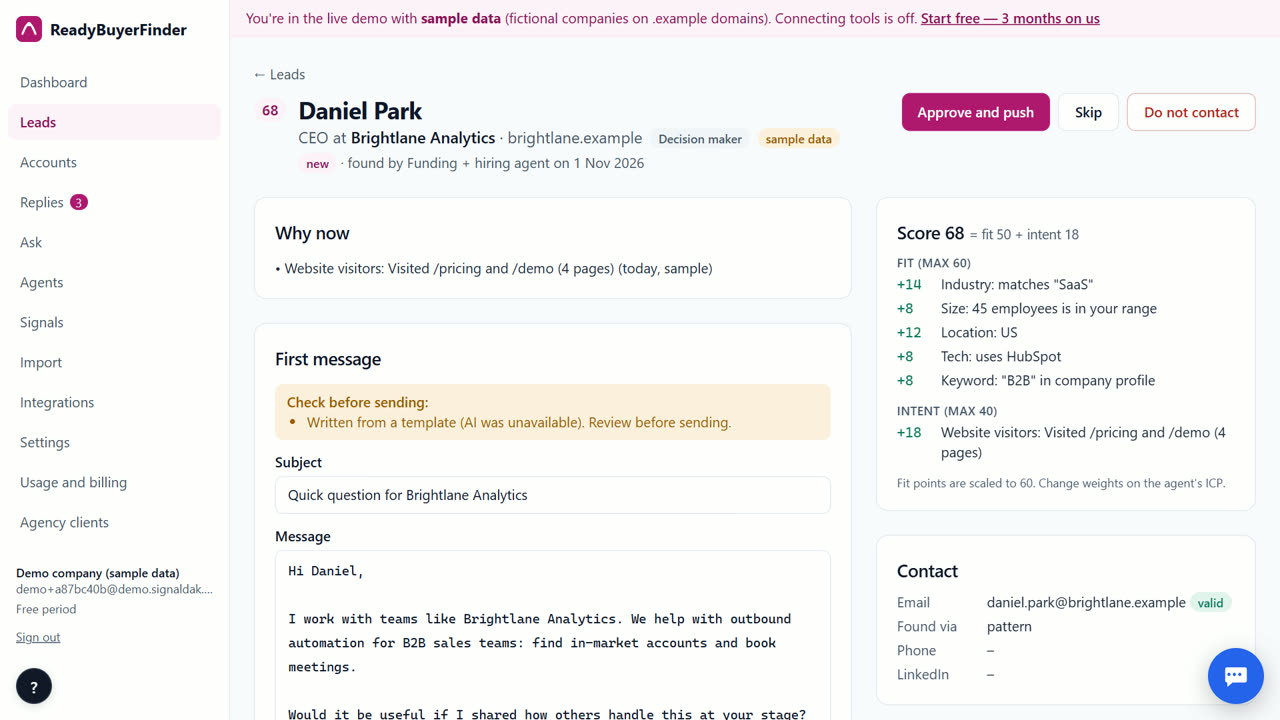
6. Approve and push
Approve the leads you like and they go to the destinations on the agent: your CRM, your sequencer, a webhook or a CSV. Replies from OutreachSender and ReachDak come back labelled.
Tips
- Start with two or three signals and a clear ICP. Too many weak signals bury the strong ones.
- Use Near misses on the Leads page: each shows the one rule that kept a lead out, with a one-click loosen.
When ReadyBuyerFinder is not the right tool
ReadyBuyerFinder is not the right tool if you want LinkedIn connection requests and DMs sent from the same app (Gojiberry does that), or if you need the names of anonymous people visiting your website in the US (RB2B offers person-level identification there). We never do either.
Questions
Does ReadyBuyerFinder use LinkedIn data?
No. It never scrapes LinkedIn or Naukri and never logs into anyone's LinkedIn account. You can import post engagement you exported yourself as a CSV.
How fast do I get leads?
The first run starts as soon as you create the agent and looks back 30 days. How many leads you get depends on how strict your ideal customer is.
What does it cost?
Your first 3 months are free. After that you pay only for what you use, at our cost, with no markup.
ReadyBuyerFinder is free for your first 3 months; after that you pay only for what you use, at our cost.
Start free — 3 months on usRelated
- How to find companies that just raised funding
- Lead scoring for cold email you can actually read
- ReadyBuyerFinder vs Gojiberry
- Pricing: free for 3 months, then at cost
Last updated 2 November 2026 · By Venu Gopal Reddy Muvva, founder, Surge Software Solutions